
When using the OpenCart image manager (as shown in the screenshot below), many store administrators encounter common issues.
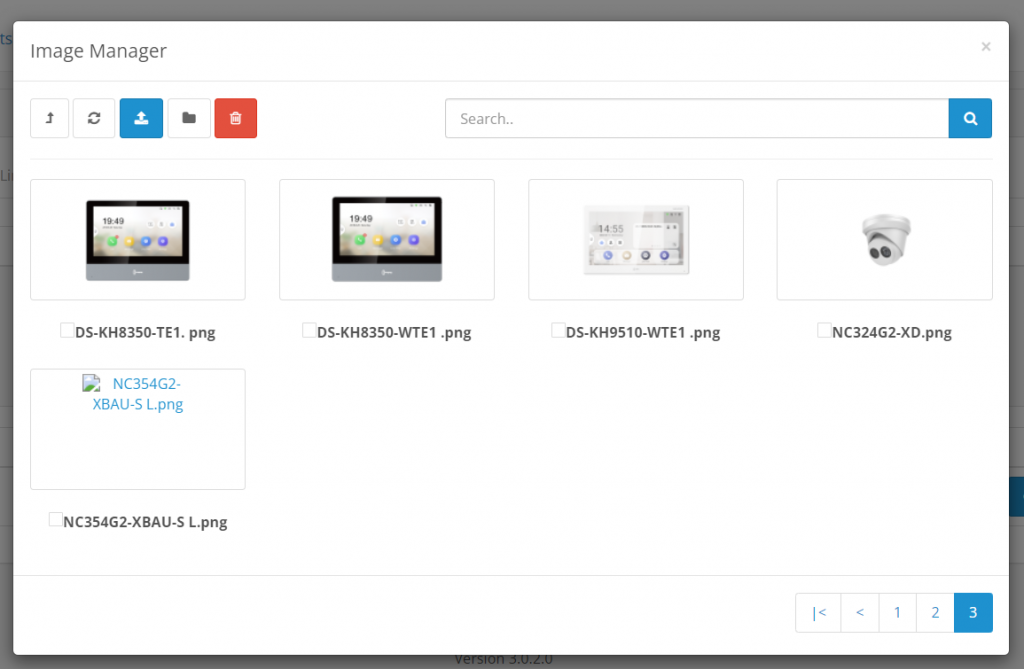
1) Do not use spaces or special characters (except for - and _) in file and folder names — and only use English letters.
Not following these rules can cause problems with image display on your site.
Good folder names:
green_ballsnailsartcarspart01_07_2025
Bad folder names:
Kate Amysфото-со-свадьбыmyphotos#june
2) Do not upload images to the root folder!
Over time, as the number of images increases, the media manager will begin to load slowly — first 5 seconds, then 10, and so on.
Fixing this problem later is nearly impossible, as there’s a high risk of breaking image links on your site.
Create the following folders inside your root image directory:
- products – a folder to store product images. It’s also recommended to organize them by subfolders, such as by categories.
- banners – images for banners and sliders.
- other – other images, like logos, favicons, etc.
Using these simple tips will help you avoid issues with your OpenCart site in the future!